














The Best AI Content Writing Tools for Marketers in 2026

Table of Contents
Introduction
If you’re creating Affiliate marketing content in 2026, you’re probably experiencing the shift where standing out is the biggest challenge, rather than just writing. Envato’s State of AI in creative works report says almost half of content marketers now use AI tools every day, enabling your competitors to produce drafts in minutes.
This guide presents you with something unique: the definitive list of the best AI content writing tools that not only help you keep up but propel you miles ahead of the curve. It’s not just another listing; it’s a game-changer, crafted for marketers who want to outshine their peers. Dive in to discover how you can turn the tide and make every piece of content remarkable.
In this guide, I’ll show you 10 of the best AI content writing tools for marketers in 2026 that we also depend on for our own content research and production.
What is an AI content writing tool?
An AI writing tool is software that uses artificial intelligence, like large language models and natural language processing, to generate, rewrite, or improve text based on your prompt or draft. It can help with blog outlines, ad copy, email sequences, summaries, grammar fixes, and tone changes.
Most AI writing tools take your input like a prompt and some context, and use text generation to predict and write the next words in a way that sounds natural. This gives you human-like sentences, paragraphs, or even complete drafts.
What sets “content writing” tools apart from basic writing aids is their alignment with complete publishing workflows, not just grammar fixes. Leading AI content writing platforms offer features such as idea generation, robust outlining, and flexible editing options (expand, shorten, adjust tone), saving marketers significant time during brainstorming, drafting, and rewriting. This flexibility allows you to tailor messaging rapidly for greater impact.
Additionally, these tools often provide integrated SEO support, suggesting headings and keywords, generating content briefs, and offering real-time optimization tips that help drive organic traffic. Brand voice controls and marketing templates further ensure your message is consistent across channels and reinforces your brand recognition.
Our Top Picks of The Best AI Content Writing Tools
- Jasper AI -Best for Long-Form Content and Marketing Teams
- Anyword -Best for Performance-Scored Marketing Copy (Ads, Landing Pages & Emails)
- Writesonic -Best Budget-Friendly AI Writer for Blogs + SEO-Driven Content
- SurferSEO -Best for SEO Optimization in Content Creation
- ChatGPT -Best All-Purpose AI Writing Assistant
- Claude – Best for Natural, Human-Like Tone
- Scalenut – Best for SEO Content Planning and Fast Drafts
- Rytr -Best for Beginners and Budget-Conscious Marketers
- Frase -Best for Creating SEO-Friendly Content on a Budget
- Google Gemini – Ideal for Flawless Writing Within Google Docs
Key Features to Look For in AI Writing Tools
Not all AI writers are built for marketing. The best AI content writing tools help you publish faster and drive results (traffic, leads, sales) without sacrificing your brand voice. Some of the important features to look for include:
Must-have features (the non‑negotiables)
- High-quality long-form output: Holds structure across full blog posts, not just short blurbs. Look for strong outlining, coherent sections, and minimal repetition.
- Brand voice controls: Let’s you define tone, terminology, and “do/don’t” rules so outputs sound like your brand, not generic AI. Jasper and Writesonic both position Brand Voice as a core capability for uniform messaging
- Workflow speed + repurposing: Easily turns one core asset into multiple formats (blog → email → social captions → ad variations) so you ship consistently.
- SEO support (if organic traffic matters): Helps with keyword intent, headings, related terms, and on-page optimization so your draft matches what ranks. Surfer SEO is the best for SEO optimization.
- Integrations + collaboration: Smooth export to Google Docs/WordPress and team features (folders, approvals, sharing) so you don’t lose time copy-pasting.
Nice-to-haves (depending on your use case)
- Originality & plagiarism checks (helpful for publishing at scale). Grammarly is best for this.
- Editing controls (rewrite/expand/shorten, readability improvements, tone variants)
- Research helpers (brief generation, FAQs, competitor outlines, internal linking suggestions)
- Governance (team permissions, templates, brand guardrails)
- Multilingual support (if you market across territories)
Quick caution
Whenever you use AI, use it as a co-writer, not an autopilot. Always add individual insights, verify claims, and do a final human edit.
Best AI Content Writing Tools
1. Jasper AI
The First of the ten best AI tools is Jasper AI, a leading AI content-writing platform designed to help marketers, writers, and businesses quickly and efficiently create high-quality copy. Unlike general-purpose chat tools, Jasper focuses on marketing workflows, combining brand controls, a context layer, and automation features to make it easier to consistently produce long-form marketing content.

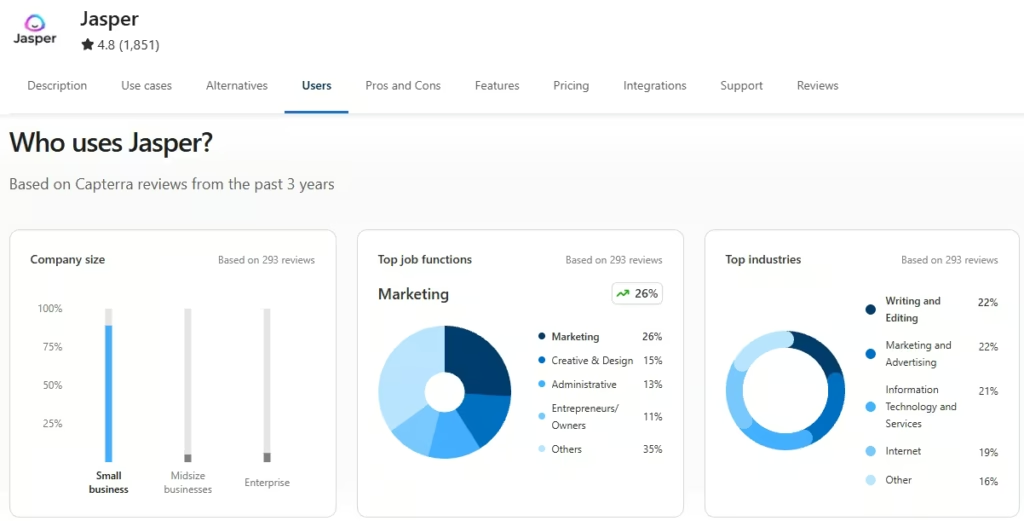
Jasper is widely regarded as one of the best AI content writing tools because it prioritizes brand voice, team collaboration, and marketing-specific outputs (blogs, landing pages, ads, email sequences) while maintaining quality at scale. According to Capterra, Jasper AI has a 4.8-star rating based on over 1,851 reviews, with users frequently praising its user-friendly interface, fast content generation, and strong customer support. Furthermore, Jasper has over 100,000+ customers, including 850+ enterprise customers.
Jasper AI Top features
- Brand Voice and style controls: That ensures your tone, language, and messaging remain consistent throughout all your content.
- Marketing context layer (Jasper IQ/Marketing IQ): Enhances content value and quality by analyzing your audience, campaign goals, and market patterns to achieve more targeted, effective writing.
- Over 50 templates and workflows: To simplify content creation for common marketing assets such as blogs, ads, emails, and product descriptions, allowing faster and more consistent output.
- “Jasper Everywhere” functionality: To write, edit, and collaborate directly within the tools you already use, such as Google Docs, Microsoft Word, and Slack, without disrupting your workflow.
Furthermore, Jasper integrates with tools like Google Docs, Google Sheets, Microsoft Word (add-in), Slack, Webflow, and via Chrome/Edge extensions, as well as APIs for custom workflows.
Pricing: As of January 2026, Jasper lists two main plans on its official pricing page:
- Pro at $59 per month per seat (billed annually) or $69 per month per seat if billed monthly.
- Business: Custom pricing (for this, you contact sales)
Pros and Cons of Jasper AI
Pros
- Excellent brand control: Brand Voice + style guidelines help keep outputs consistent across writers and channels.
- Built for marketing teams: Marketing-focused templates, apps/workflows, plus collaboration features make it easier to ship campaigns at scale.
- Strong “write where you work” experience: Extensions and integrations help you create/edit inside tools like Google Docs, Word, Slack, and Webflow.
- Multi-model approach: Routes tasks through different LLMs to improve quality based on the use case (rather than relying on a single model).
- Useful for repurposing: Great for turning one core idea into multiple assets (ads, emails, social posts, landing pages).
Cons
- Premium pricing: Costs can add up fast for teams because pricing is typically per seat.
- Learning curve: To get the best results, you’ll need to set up Brand Voice/Knowledge assets and develop strong briefs.
- Long-form still needs human editing: blog drafts often require fact-checking, restructuring, and the addition of original perspectives.
- Best features may be plan-gated: Advanced governance/workflows and deeper controls are usually in higher tiers.
- Not a complete SEO suite by itself: Many marketers still pair it with dedicated SEO tools (e.g., Surfer/Frase/Scalenut) for optimization.
2. Anyword
The second-best AI Content writing tool is Anyword, an AI writing platform purpose-built for marketers focused on results. Rather than simply producing attractive copy, Anyword prioritizes content that drives conversions. With its performance-driven approach, you can write faster while confidently optimizing headlines, CTAs, and messaging for maximum impact. Furthermore, Anyword is used by 1,000,000+ marketers and leading tech companies. Anyword’s predictive scores have been shown to translate into measurable conversion lifts, with reports of an average 17% increases in click-through rates for some campaigns.
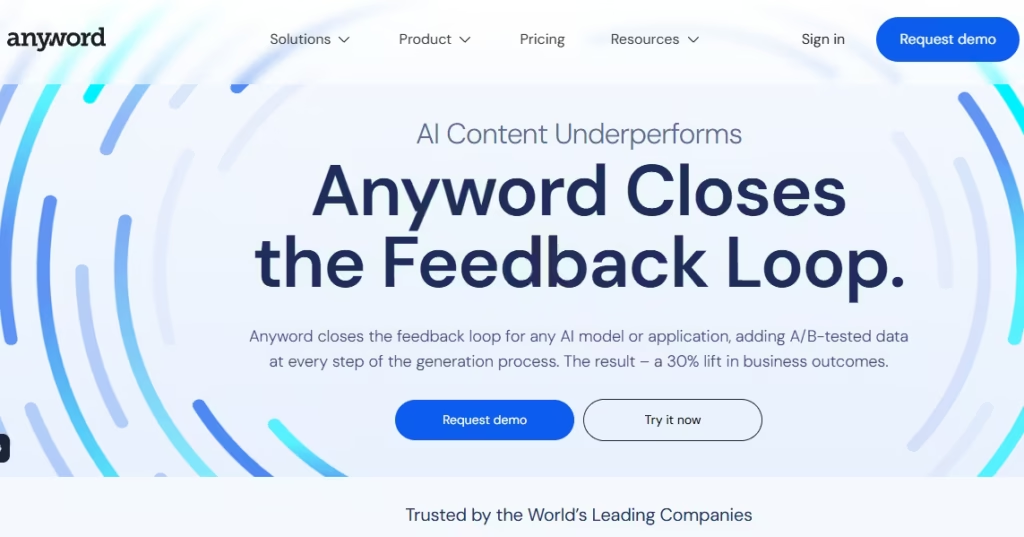
That “performance-first” focus is reflected in user feedback too: on G2, Anyword is rated 4.8/5 stars from roughly 1,230 verified reviews, with reviewers frequently praising ease of use, fast copy generation, and the value of performance scoring for ads and campaigns.
Anyword also connects directly with key marketing channels and tools like Google Ads, Meta Ads, LinkedIn Ads, HubSpot, Salesforce, Microsoft Word, Google Drive, Instagram, and more.
Anyword Top features
- Performance Prediction to score copy against your audience and channel before you publish
- Copy Intelligence/analytics layer to learn what messaging works best over time.
- Brand Voice & brand rules to keep output aligned with your voice and positioning
- A/B-style variation generation for headlines, ads, landing pages, and email subject lines
Pros and Cons of Anyword
Pros
- Built for conversion-focused copy: Great for ads, landing pages, email subject lines, and CTAs.
- Performance scoring helps pick winners faster: Useful when you’re running paid traffic or iterating fast.
- Strong for variation testing: Generates multiple angles quickly so you can test messaging.
- Helpful integrations: Works with major ad + CRM tools to fit into real marketing workflows.
Cons
- Not the best “pure long-form” blog writer: You’ll still want tools like Jasper/Claude/ChatGPT for long-form drafting.
- Scores aren’t magic: Predictions still need real-world testing and a marketer’s judgment.
- Best value is for active campaigns: If you’re not publishing or testing often, it can feel like overkill.
3. Writesonic
The next best AI Content writing tool is Writesonic, a marketing-focused AI writing platform built for fast, SEO-ready blog drafts and conversion copy, without enterprise pricing. It helps you draft fast, conversion-focused content, then polish it with a SERP-informed SEO workflow. its Primary tools include 100+ templates, plagiarism checks, and Brand Voice controls, plus ChatSonic (chat-style writing) and BotSonic (website chatbots) as add-ons. With a simple, SERP-informed workflow and Brand Voice customization, you can produce consistent, SEO-ready drafts at scale. Furthermore, Writesonic is used by 5M+ content writers, SEO experts, and agencies worldwide.

The best thing about Writesonic is its SEO-first approach; it helps you research SERPs and optimizes drafts to rank higher using competitor analysis and an SEO checker. Additionally, its article workflow can also add real-time, citation-backed insights plus fact-checking, making your drafts more publish-ready than generic AI copy.
Pricing: As of January 2026, Writesonic has Multiple plans, which include:
Lite: $49/month (or $39/month billed annually)
Standard: $99/month (or $79/month billed annually)
Professional: $249/month (or $199/month billed annually)
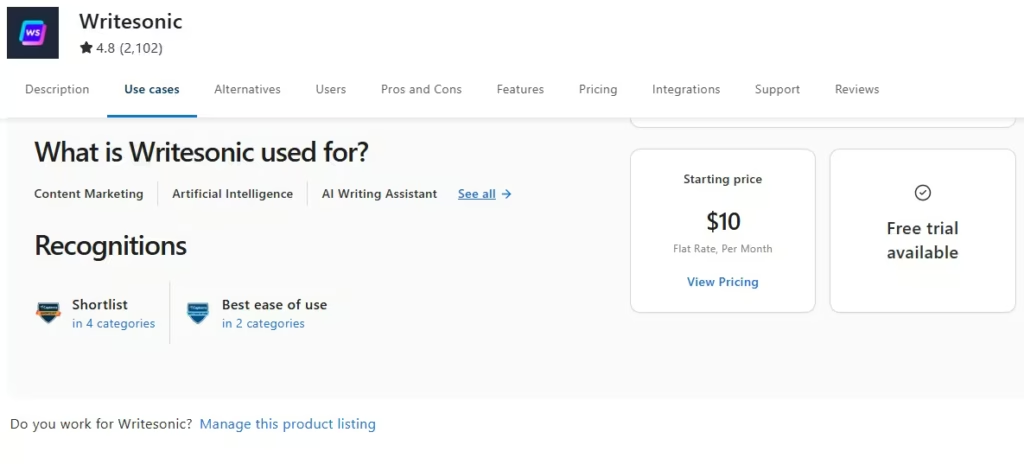
Writesonic also integrates flawlessly with Zapier, connecting to over 8,000 apps and 450 AI tools through bulk integrations. Furthermore, Writesonic is highly rated on Capterra, holding a 4.8/5 score from more than 2,100 verified users due to its versatility and easy-to-use experience.
Pros and Cons of Writesonic
Pros
- SEO-first workflow: Competitor/SERP-driven drafting plus on-page optimization features help you write content designed to rank.
- Citation-backed articles: Its article workflow can add fact-checked, cited insights, which are helpful when you need credibility.
- Strong productivity stack: Templates, Brand Voice controls, and internal linking features speed up publishing.
- Automation-friendly: Zapier connections make it easy to plug Writesonic into your existing workflow and scale content operations.
- Extra tools included: ChatSonic for chat-style drafting and BotSonic for building website chatbots.
Cons
- Can get expensive as you scale: Many users cite higher costs as usage grows.
- Credit/limit friction: Some users report restrictive credit/word limits on specific plans.
- Editing is still required: Outputs may need polishing for tone, originality, and accuracy.
- A feature-rich UI can feel heavy: With many modules, it may take time to learn and set up correctly.
4. Surfer SEO
The fourth-best AI content writing tool is Surfer SEO, a leading content optimization platform for marketers, writers, and SEO professionals seeking to boost their search visibility. Through analyzing your draft against top-ranking Google pages, Surfer provides real-time, in-editor optimization guidelines so you can write and polish content with confidence. Its analytics-based approach helps ensure your articles are aligned with what’s actually working in search, making SEO easier and more effective.

While most AI writing tools focus solely on text generation, Surfer SEO sets itself apart by providing real-time, SERP-driven Content Scores and practical guidelines as you write. It proactively suggests improvements to structure, word count, relevant topics, and image use, so your content is always aligned with what ranks well.
And it’s not just for new drafts:
- Content Audit + Auto-Optimize: monitors existing posts and suggests updates as search results change.
- Topical Map: helps you plan content clusters and spot high-impact topics faster.
Surfer also states that its community includes 150,000+ customers from 159+ countries, spanning content creators, SEOs, agencies, and in-house teams.
Surfer also integrates with tools such as Google Docs, WordPress, ChatGPT, Zapier, and Contentful, and offers a Surfer API for custom workflows and collaboration.
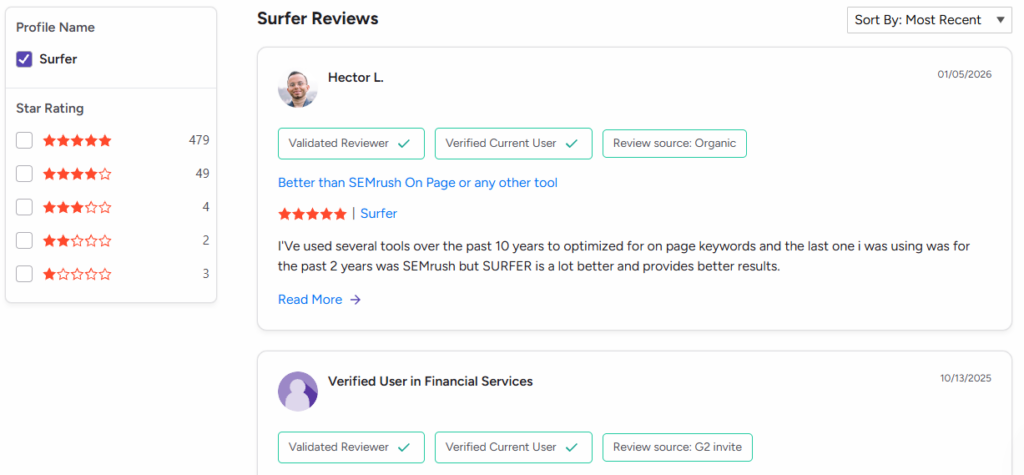
Furthermore, Surfer SEO is highly rated on G2 (4.8/5 from 537 verified reviews) for its data-driven Content Editor and on-page optimization guidance.
Pros and Cons of Surfer SEO
Pros
- Real-time Content Score + concise guidelines: You get live feedback on what to add, remove, or adjust as you write.
- SERP-driven optimization (not guesswork): Recommendations are based on what top-ranking pages are doing, which helps you align content with what’s working.
- Great for updating existing posts: Content Audit + Auto-Optimize makes it easier to refresh old pages as search results change.
- Strong for topical coverage: Topical Map helps you plan content clusters and build topical authority faster.
- Plays well within your workflow: Integrations (Google Docs / WordPress / ChatGPT / Zapier) plus an API make it easier to scale content operations.
Cons
- Pricing can be steep for small teams: Many users love the tool, but still mention the monthly cost as a pain point.
- Credits/limits can feel restrictive: AI and usage limits may require upgrades sooner than expected.
- Risk of over-optimization: If you follow recommendations too literally, content can end up “keyword-stuffed” or less natural.
- Not a complete SEO suite: You may still need other tools for backlinks, technical SEO, and broader keyword research.
- Some setup/learning curve: To get the best results, you’ll need to learn the workflow and calibrate recommendations to your niche.
5. OpenAI ChatGPT
The next best AI content-writing tool is one we have all heard of and may have used to accomplish some of our daily tasks. It’s none other than ChatGPT, OpenAI’s all-purpose writing partner that’s amazing at generating ideas, outlining posts, drafting long-form articles, rewriting sections, tightening your copy, and polishing the final version, all in one place.
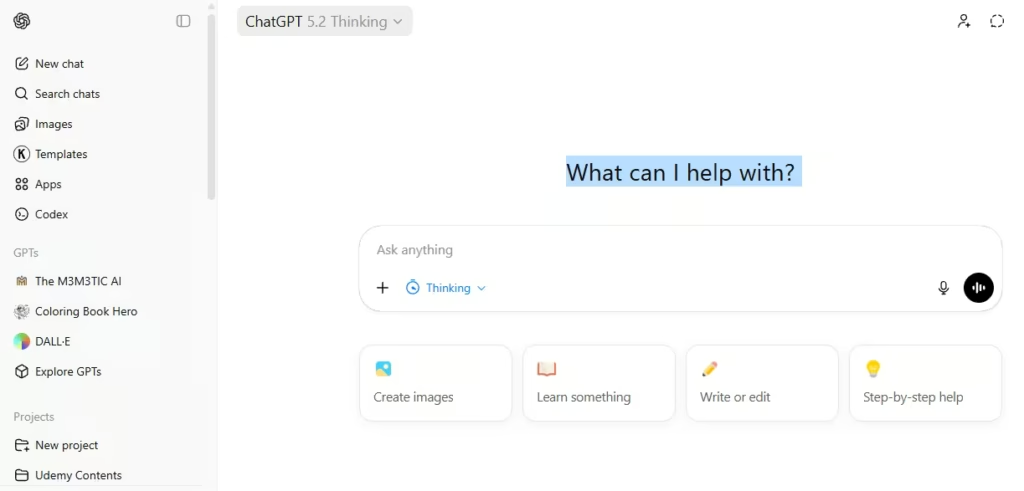
In our own workflow, we pair ChatGPT with Grammarly because ChatGPT excels at research and content ideation. What sets ChatGPT apart as a top AI content-writing tool is its vast knowledge base. Industry data shows that ChatGPT and Google’s Gemini have read more of the internet than any other AI. It’s not only about scale, though: ChatGPT adapts to your tone and goals, and packs in workflow features you won’t find in most other AI writers. Here are a few highlights:
- Canvas: a side-by-side editor where you can highlight text, then ask for instant rewrites, edits, and restructuring (perfect for real writing, not just chatting).
- Projects: keep related chats, uploaded files, and instructions together so the AI stays on topic throughout a long campaign or content plan.
- Custom GPTs: Build a personalized version of ChatGPT that follows your brand’s rules, style, and expertise. This feature is perfect for generating consistent blog formats, maintaining your brand voice, or standardizing procedures across content.
- File uploads and data analysis: Drag and drop your briefs, PDFs, or spreadsheets. ChatGPT quickly summarizes, extracts key information, and even creates tables or charts. Turning those insights into ready-to-publish content is a breeze, so you can focus on what matters most.
- Custom instructions: set your writing preferences once (tone, audience, formatting rules) so every draft reflects your voice.
Furthermore, recent OpenAI reports indicate that ChatGPT now serves 800M+ users each week. Additionally, from a user perspective, ChatGPT is rated 4.7/5 based on 1,445 G2 reviews.
Pricing: ChatGPT has a free plan, and ChatGPT Plus is $20/month.
Pros and Cons of ChatGPT
Pros
- Ridiculously versatile: Great for brainstorming, outlining, drafting, rewriting, and polishing across almost any content type.
- Canvas makes editing fast: Highlight a paragraph, ask for a rewrite, and iterate like you’re working with an editor.
- Projects + Custom GPTs = repeatable workflows: Keep long campaigns organized and build “your own” assistant for consistent brand voice and formats.
- Works with your files: Upload briefs, PDFs, and spreadsheets, summarize them, and turn insights into content.
- Custom Instructions keep output consistent: Set your tone, audience, and formatting rules once.
Cons
- ChatGPT can hallucinate, so always fact-check statistics, citations, and claims before publishing any of your content.
- Prompt quality matters: Vague prompts produce generic output. You’ll get the best results with clear, brief, and examples.
- Not an SEO scoring tool by default: For SERP-based content scoring and optimization, you’ll still want tools like Surfer/Frase.
- Privacy/data controls require attention: If you don’t want chats used to improve models, you can turn that off in settings.
6. Claude by Anthropic
The next Amazing AI content writing tool is Claude, Anthropic’s AI assistant. Claude is famous for one thing marketers care about a lot: writing content that feels genuinely human. If you want content that sounds thoughtful, nuanced, and less “robotic,” Claude is one of the safest bets to go with.

Claude is regarded as one of the best AI content writing tools because it combines a natural voice with real workflow features, so you can draft, edit, and build content as if you’re collaborating with a calm, detail-oriented editor.
What Claude is excellent at (for marketers)
- Thought leadership and storytelling: Excellent for crafting long-form blog posts, building your personal brand, and writing engaging, story-driven content that stands out.
- Editing and tone polishing: If you need your writing to sound clearer, friendlier, or just more like you. Claude helps rewrite your content so it’s warm, persuasive, and consistent with your voice.
- High-signal summarizing: Claude helps turn long docs into clean briefs, meeting notes, and executive summaries.
- Email and landing page copy: Claude shines when you want your emails or landing pages to sound authentic, conversational, and not excessively salesy.
Claude also integrates well with native Connectors built into Claude, including Google Drive, Gmail + Google Calendar, GitHub, and the Microsoft 365 connector.
Pricing (official Claude pricing page)
- Free: $0
- Pro: $20/month (or $17/month with annual billing), and
- Max: starts at $100/a month.
Pros and Cons of Claude
Pros
- Most “human” writing voice: great for blogs, emails, and brand narration that shouldn’t sound like AI.
- Excellent editor: strong at rewriting, tightening, and polishing tone while not losing meaning.
- Excellent at summarizing: Claude quickly distills complex research and lengthy documents into clear, actionable briefs or outlines, making it easy to turn information into ready-to-use content.
- Artifacts and Projects are built to keep you organized. With these features, you can quickly iterate on drafts, track changes, and ensure your campaigns stay consistent from start to finish.
- Solid integration options: connectors, integrations, and Zapier workflows make it easier to fit into your stack.
Cons
- Claude can sometimes get a bit wordy or play it safe, so don’t hesitate to nudge it for shorter, more direct answers when you need them.
- Usage limits: If you write a lot with Claude, you might exceed usage limits and need to upgrade to a higher plan. This is something to keep in mind if you’re producing content at scale.
- Human review is still essential: Double-check stats and claims before publishing, since even the best AI can make mistakes or miss context.
- Claude doesn’t score your content for SEO out of the box. If you’re looking for SERP-based scoring, pair it with tools like Surfer SEO or Frase to ensure those insights are accurate.
7. Scalenut
Think of Surfer SEO as your primary “content optimizer,” now imagine Scalenut as your complete SEO and AI writing command center. Scalenut streamlines your entire workflow, taking you seamlessly from keyword research and content briefs to first drafts and on-page optimization, so you can get everything done in one platform instead of using multiple tools.

Scalenut is recognized as one of the best AI content writing tools for its seamless integration of powerful AI writing and advanced SEO intelligence. Instead of simply generating text, Scalenut helps you create content that’s strategically structured and fully optimized to compete in today’s search results. With over 100,000 users worldwide and more than 5 million SEO blogs generated, Scalenut’s extensive adoption speaks to its efficacy and reliability for marketers and content teams alike.
Amazing features that make Scalenut stand out
- Cruise Mode (lightning-fast long-form drafts): With Cruise Mode, Scalenut can generate a detailed, 1500+ word blog draft in under five minutes without looking at a blank page. Just review, edit, and hit publish. It’s an incredible time-saver for marketers who need quality content, fast.
- Keyword Planner: Scalenut’s built-in Keyword Planner helps you quickly discover high-impact keyword ideas and organize your content strategy, all in one place.
- Content Optimizer with real-time scoring: Scalenut’s Content Optimizer gives you instant SEO guidance as you write, suggesting keywords, headings, and formatting improvements on the fly. With real-time scoring, you can spot easy wins and boost your ranking potential before you hit publish.
- Topic Clusters & Clustering Workflow: Scalenut makes it easy to organize your content around strategic topic clusters, helping you build topical authority and boost your SEO. Many G2 users specifically praise Scalenut’s effective keyword categorization capabilities.
- Content Audit: Scalenut’s Content Audit feature helps you pinpoint opportunities to refresh and improve existing pages. It highlights which posts need updates, delivers actionable optimization recommendations, and makes it easy to boost the performance of your older content.
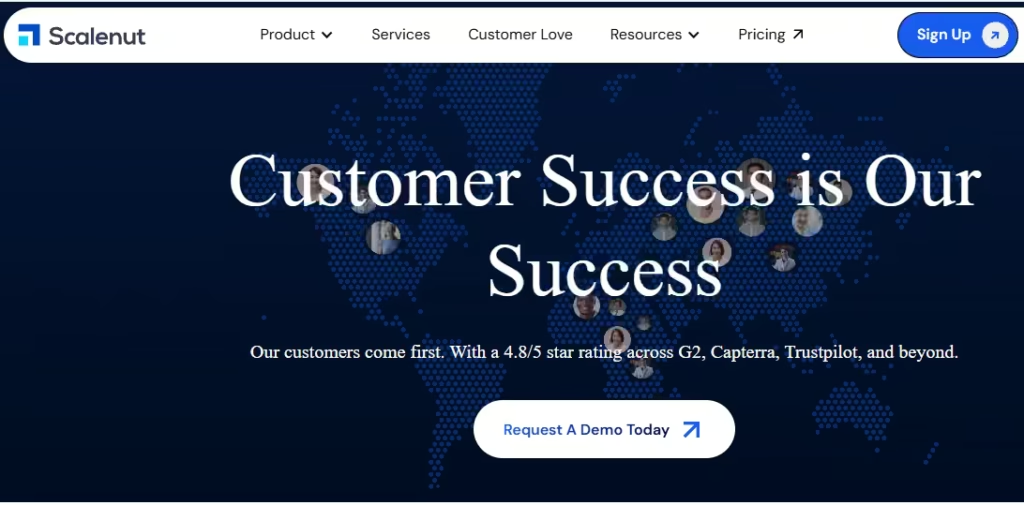
Scalenut boasts an impressive4.8-star rating across major review platforms such as G2, Capterra, and Trustpilot. This consistently high praise from real users spotlights its reliability, effectiveness, and overall value, making Scalenut a top contender for anyone committed to AI-powered content creation.
Pros and Cons of Scalenut
Pros
- All-in-one SEO + writing workflow: Users like that Scalenut combines AI writing with embedded SEO tools (so you can research, draft, and optimize in one place).
- Cruise Mode is a real time-saver: Scalenut highlights it for creating SEO-optimized blog drafts within minutes.
- SEO optimization guidance is built in: Reviewers praise the ability to score/upgrade content against top-ranking pages and improve on-page SEO.
- Intuitive, easy-to-use interface: Despite its strong functionalities, Scalenut’s UI/UX is designed for speed and simplicity. Users often praise the platform’s simple navigation, which makes day-to-day content creation more efficient, especially for new users.
- Seamless WordPress integration: Many G2 reviewers highlight how easy it is to publish directly from Scalenut to WordPress. This smooth connection streamlines your workflow, no more copying and pasting, so that you can move from draft to published post in just a few clicks.
Cons
- Word and credit limits can occasionally feel restrictive, especially for power users or for agencies producing a lot of content. Some reviewers wish Scalenut offered more generous quotas or an unlimited writing tier to better support high-volume workflows.
- Quality still needs a human touch: Some reviewers mention occasional content issues or even plagiarism, so it’s important to carefully review, fact-check, and refine your drafts before publishing.
- Learning curve for beginners: Because Scalenut is packed with powerful modules like the planner, clusters, optimizer, and audits, there’s a bit of a learning curve for new members.
- Pricing and plan clarity: Some users mention that Scalenut’s pricing can be on the higher side or a bit confusing, depending on the plan. It’s worth scrutinizing the details to find the tier that suits your needs and budget.
8. Rytr
The next Commendable AI Content writing tool you can depend on as a beginner is Rytr, a simple, budget-friendly AI writing assistant built for marketers who want to move fast without overthinking prompts. It’s especially popular for short-form marketing copy and quick first drafts (think: ads, emails, product descriptions, and blog sections), and it’s trusted by 8,000,000+ writers.
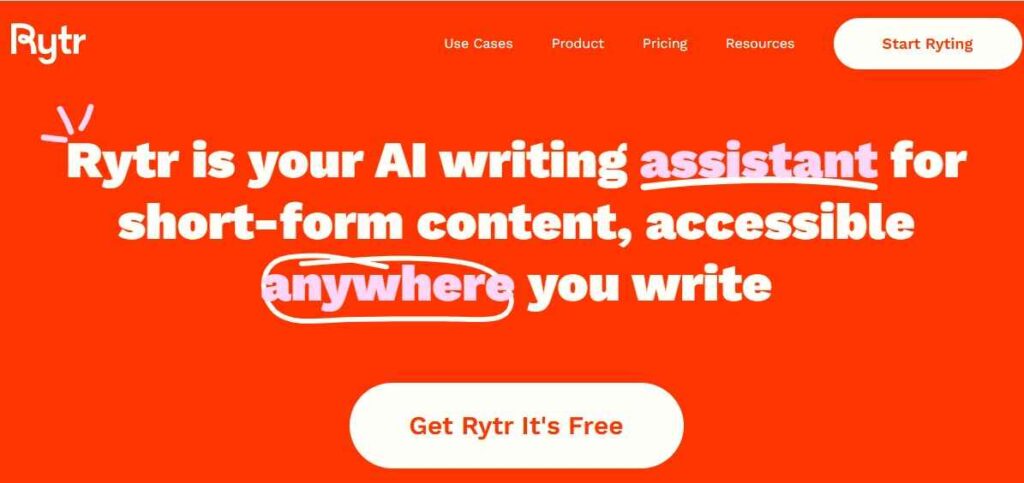
Rytr is regarded as one of the best AI content writing tools because it combines speed, ease of use, and cost-effectiveness with practical features like ready-made templates, tone controls, and built-in originality checks, which is precisely what beginners and small teams need.
Amazing features that make Rytr stand out
- 40+ use cases/templates: Pick a use case (blog outline, landing page, meta title, email, CTA, etc.) and Rytr guides the output so you don’t start from a blank page.
- Tons of tone options: Easily match your style (casual, formal, persuasive, witty, urgent, and more) without rewriting everything from scratch.
- Integrated plagiarism checker: Instantly verify content originality within the editor, helping you ensure your work is unique before publishing.
- Browser extension: Write and rewrite inside the tools you already use (great for social posts, emails, and quick edits). Extension
G2 reviews rate Rytr at 4.7/5 stars based on hundreds of verified reviews, with users often commending its ease of use and strong value for the price.
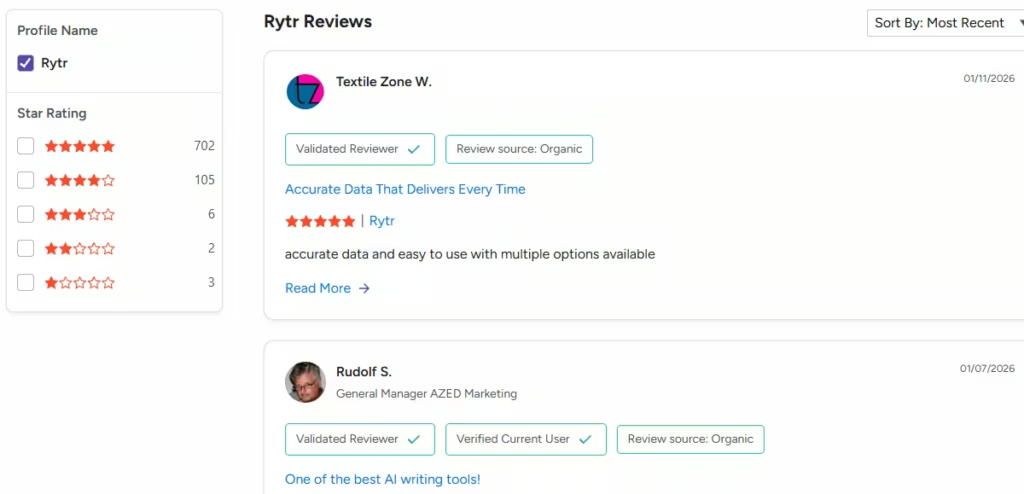
Pricing: Rytr offers a free plan, with paid plans starting at $9/month and including an Unlimited tier at $29/month.
Pros and Cons of Rytr
Pros
- Super easy to use: G2 reviewers regularly praise Rytr’s clean, user-friendly interface and quick setup.
- Amazing value for the price: It’s one of the most budget-friendly AI writers, which makes it great for beginners and small teams.
- Great for short-form marketing copy: Ads, emails, product descriptions, and quick drafts are where it shines.
- Templates + tone controls save time: 40+ use cases, as well as tone options, help you get a solid first draft fast.
- Built-in helpers: A plagiarism checker and browser extension make quick rewrites and originality checks simple.
Cons
- Not the strongest long-form writer: Many users still prefer other tools for full blog posts and deeper long-form content.
- Limited variation depth: Some reviews note outputs can feel similar across variations, so you may need extra prompting.
- Editing is still required: Like most AI writers, drafts often need polishing for accuracy, tone, and originality.
- Integrations can be thin: G2 users cite missing integrations (e.g., PowerPoint) depending on their workflow.
9. Frase
The ninth-best AI content writing tool is Frase, an AI-powered SEO writing platform that streamlines your entire content workflow, taking you seamlessly from keyword research and topic analysis through outlining, drafting, and real-time optimization, all in one place. Popular among bloggers, affiliate marketers, and small teams, Frase delivers a complete “research, brief, writing, and SEO scoring” experience typically found in high-end SEO suites, but at a much more accessible price.
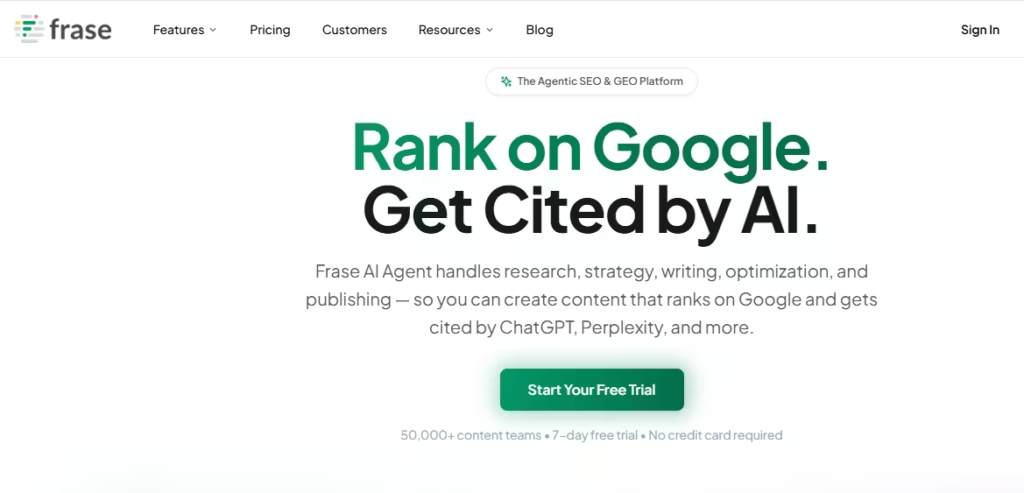
Frase stands out among AI content writing tools for going beyond simple text generation, enabling you to create content that truly ranks. With real-time optimization guidance and live SEO scoring, Frase ensures your draft is aligned with what works in search. Its SERP-based research automatically pulls important topics and organizational insights from top-ranking pages, so you can confidently build content that’s optimized from the start.
Top features that make Frase stand out
- Content briefs in minutes: Frase analyzes top-ranking pages for a keyword and turns that into a practical brief + outline you can write from.
- Real-time SEO + GEO scoring: As you write, Frase tracks your score and suggests topics/terms to cover (useful for both Google and AI search).
- AI Writer for long-form drafts: Start with SERP research, generate an optimized outline, then draft quickly inside the editor.
- Google Search Console opportunities: Frase can use Search Console data to surface what you should update or create next. (Shown in Frase’s product media on G2
What real users are saying about Frase
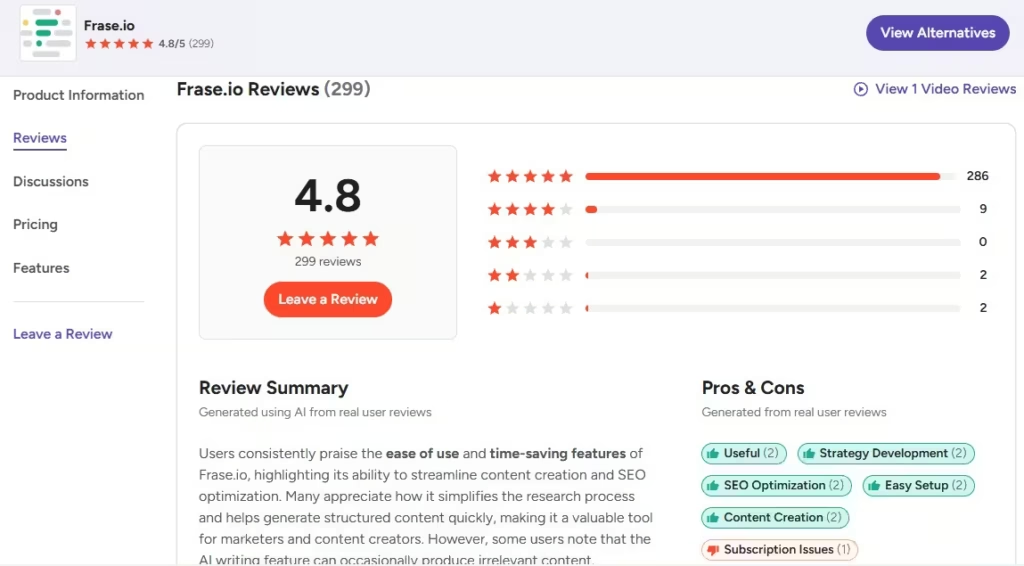
- On G2, Frase is rated 4.8/5 based on 299 reviews, with users repeatedly noting that it saves time on SERP research and makes SEO optimization easier to follow.
Integrations
On integrations, Frase enables seamless writing and real-time optimization within WordPress, Google Docs, and Chrome. It also integrates smoothly with popular AI tools such as ChatGPT, Perplexity, Claude, and Gemini, improving your workflow flexibility.
Pricing (official)
- Starter: $39/month
- Professional: $103/month
- Scale: $239/month (typically shown with annual billing options).
Pros and Cons of Frase
Pros
- Huge time-saver for SEO research: Numerous G2 reviewers love how Frase pulls SERP insights into a brief so you can outline faster and write with more confidence.
- Robust brief and outlining workflow: Numerous reviewers cite Frase’s content brief and outlining capabilities as a primary reason for their continued use, noting that these features accelerate content creation.
- Intuitive SEO scoring streamlines optimization: Real-time scores and actionable recommendations help you confidently address important topics, removing the guesswork from on-page SEO.
- Easy to get started: G2 reviewers also often note that Frase delivers a straightforward setup process, making it highly user-friendly for beginners.
Cons
- Formatting and editing challenges: Some users report that copy/paste actions can introduce formatting or layout inconsistencies, requiring additional cleanup. G2 cons
- AI-generated content requires refinement: Some G2 reviewers emphasize the importance of editing for tone, originality, and accuracy, particularly in long-form drafts.
10. Google Gemini
Leaving Google Gemini off this list would be an oversight, especially since so much of our content is designed for Google’s ecosystem and SEO standards. Google’s Gemini is a strong pick if your content workflow lives in Google Workspace. Instead of jumping between tabs, you can draft, rewrite, and ideate right inside the tools you already use, which is exactly why many marketers treat Gemini as their “Workspace writing assistant.”
Gemini is regarded as one of the best AI content writing tools for its rapid drafting, practical editing features, and seamless integration with the Google ecosystem. Notably, Google’s documentation highlights Gemini’s ability to draft emails using “Help me write” in Gmail and generate concise summaries or overviews, making it easy to grasp long threads at a glance.
Top features that make Gemini stand out
- Work directly in Docs and Gmail: Effortlessly draft blog outlines, rewrite paragraphs, and brainstorm new ideas within Google Docs, while also generating polished email drafts right inside Gmail.
- Unified research and drafting workflow: Ideal for conducting quick research, generating summaries, and producing first drafts all within the familiar Google ecosystem for maximum efficiency.
- Deep Research and advanced AI models (on paid plans): Google’s subscription tiers offer access to powerful models and features, including Deep Research, enabling more in-depth analysis and smarter content creation.
Google Gemini G2 reviews
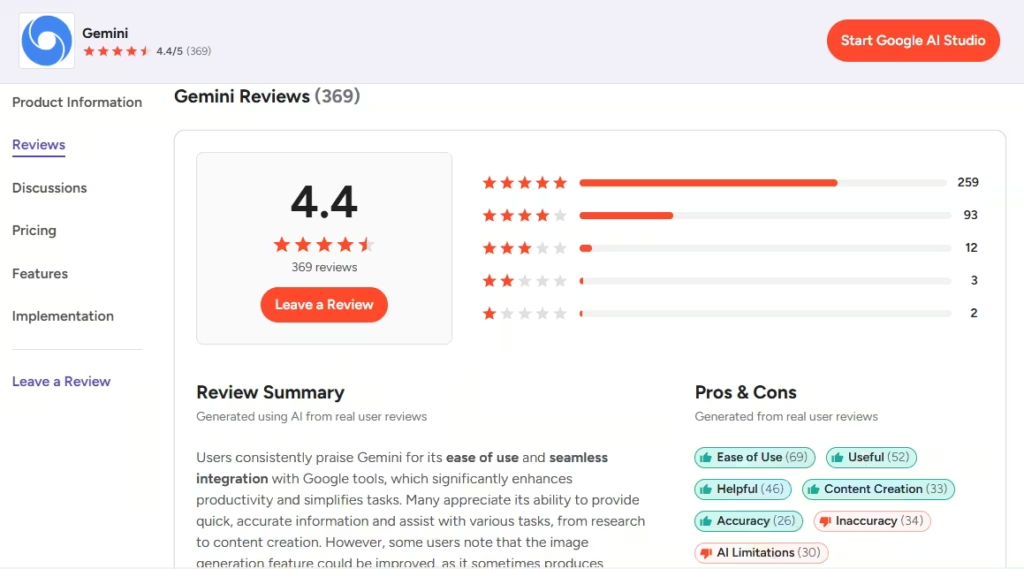
On G2, Gemini has a 4.4/5 rating based on 367 reviews. Numerous users regularly highlight its user-friendly interface and flawless integration with Google tools, especially for drafting and summarizing content productively.
Google Gemini Pricing
According to Google’s subscription page, the current plans are: Google AI Plus goes for $7.99/month, and Google AI Pro is $19.99/month.
For full details and the latest updates, visit: Google Gemini subscriptions
Pros and Cons of Google Gemini
Pros
- Effortless integration with Google apps: Users regularly praise how naturally Gemini integrates with Google tools, significantly improving productivity, particularly for drafting and summarizing content.
- User-friendly and fast for first drafts: G2 reviewers regularly praise Gemini’s interface and its ability to deliver clear, structured drafts quickly, improving the content creation process.
- Excellent for drafting in Gmail and Docs: The “Help me write” feature generates email drafts and helps you overcome writer’s block, making it easier to compose content quickly within your workflow.
- Excellent for rapid research and ideation: Reviewers regularly highlight Gemini’s ability to accelerate research, support effective writing, and generate new ideas.
- Transparent and affordable pricing: The Plus and Pro tiers are clearly defined, offering straightforward value at $7.99 and $19.99 per month.
Cons
- Imperfect accuracy: Like most generative AI, Gemini may hallucinate or produce convincing but incorrect information. Consistently verify facts and cross-check outputs before publishing.
- Premium features require payment: Access to advanced models and higher usage limits is typically reserved for paid plans, limiting the complete potential of the free tier.
- Potential privacy matters with personalization: Google’s advanced personalization features may encourage users to connect more apps and share additional data, an option some users choose to avoid for privacy reasons.
Ready to pick the Best AI Content Writing Tool? Here are our top 3 picks for you
1) ChatGPT
If you’re looking for a single tool that can brainstorm ideas, outline posts, draft long-form articles, rewrite sections, and polish your copy, ChatGPT is widely recognized as the most all-around choice for marketers. While fact-checking is still essential, it’s truly the “Swiss Army knife” of AI writing assistants.
2) Surfer SEO
The next Tool you can rely on if boosting organic traffic is your main objective is Surfer SEO, which functions as the most effective content optimizer in this list. It provides real-time, SERP-driven guidelines as you write, ensuring your content aligns with what actually ranks, so you can optimize with confidence rather than guess what Google wants.
3) Jasper AI
Finally, if you need an AI writing tool designed for marketing workflows such as campaigns, ads, landing pages, and email sequences, and brand consistency is a priority for your team, Jasper is the clear choice. Its solid brand-voice controls and collaboration features ensure you can produce more content at scale without sacrificing your distinctive style.
Frequently Asked Questions
Free AI tools for Content writing?
There are several free (or freemium) AI writing tools you can use to draft blogs, emails, ads, and social posts. The best free options include ChatGPT, Google Gemini, and Claude.
Best AI Content Writing Tools for Blog Posts?
The best AI tool for blog posts depends on what you need most: drafting, SEO optimization, or team-level brand consistency. For most creators, ChatGPT is the best all‑around choice for outlines, first drafts, and rewrites; Surfer SEO is best when you want SERP-based guidance to optimize for rankings; and Jasper AI is ideal if you’re a marketing team that needs a uniform brand voice at scale.
How do AI content writing tools improve SEO and content quality?
AI content writing tools streamline keyword research, offer real-time optimization suggestions, and help structure content to match search intent. They can analyze top-performing pages, suggest improvements, and ensure your writing covers relevant topics, resulting in better-quality content that ranks better in search engines.
Are AI content writing tools suitable for long-form articles and blogs?
Yes, many AI writing tools are built to handle long-form content. Tools like Jasper, ChatGPT, and Frase can help outline, draft, and refine blog posts and articles. They help preserve flow, coherence, and structure while saving time on research and editing.
Are AI writing tools replacing human writers?
Not entirely. In practice, AI serves as a writing assistant rather than a complete replacement for human writers. Industry analyses and surveys indicate that people rely on AI for activities such as editing, summarizing, and generating ideas. However, human writers remain essential for strategy, creativity, subject-matter expertise, and the final layer of judgment that ensures content is original, trustworthy, and valuable.
Is AI-generated content allowed by Google, or will it be penalized?
Google’s official position is that AI-created content is not inherently in violation of its guidelines. The key factors are quality and aim. If content is produced primarily to manipulate search rankings or is deemed spammy, it may violate Google’s policies. However, using AI or automation is acceptable when it contributes to helpful, people-first content that serves the reader’s needs. For more details, see Google’s statement about AI-generated content.










Recent Comments